How to install
- Please update to the latest version of our app for the best experience.
- Click here to open url at your browser.
- Please use your device camera to scan the QR code to open download page, then Click Install.
-
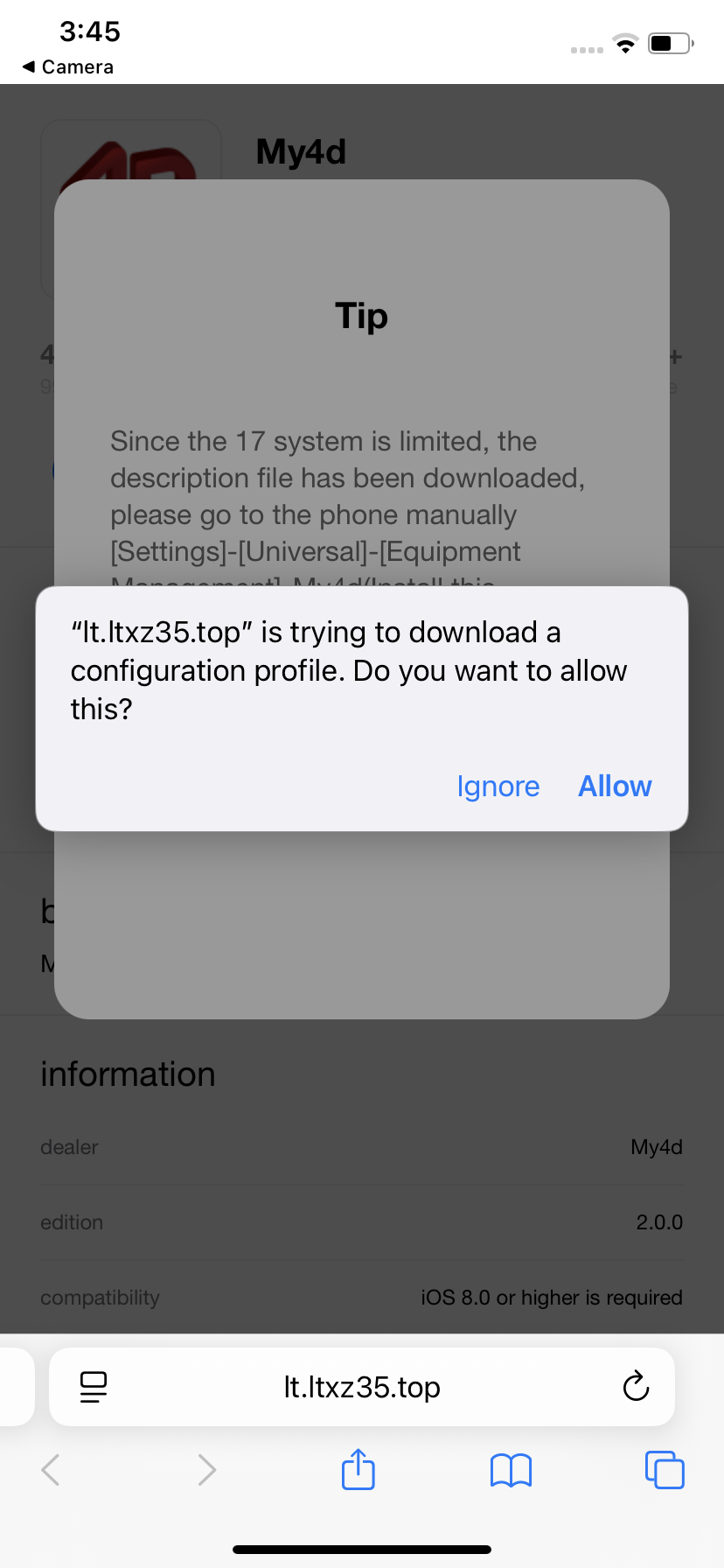
First you need to install profile to your device, click Allow button.
-
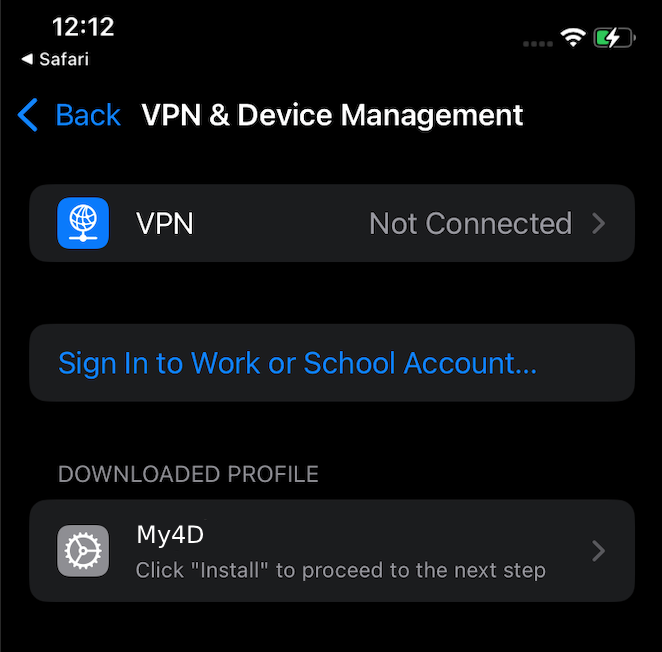
Then go to Settings > General > VPN & Device Management.
-
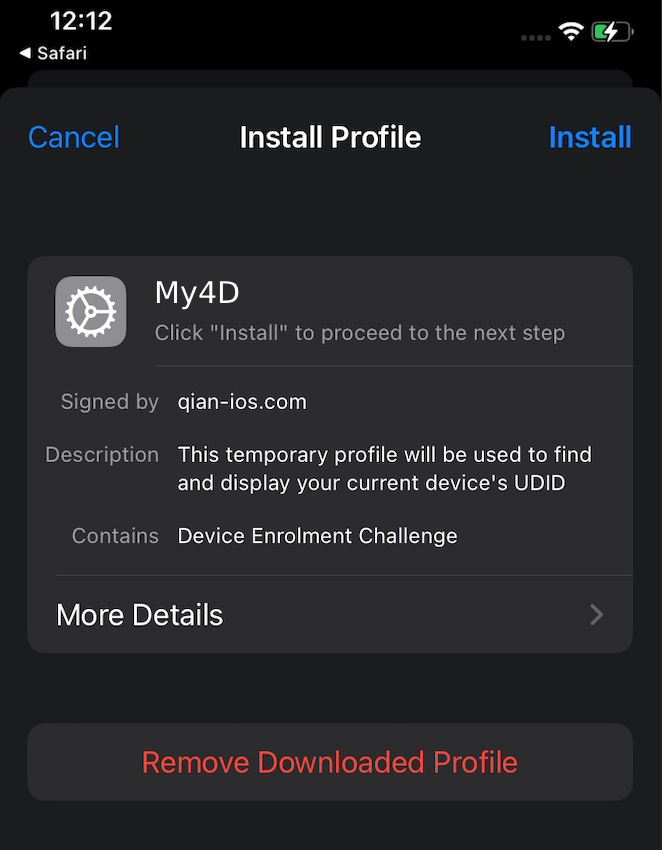
After that on top right conner, click Install.
-
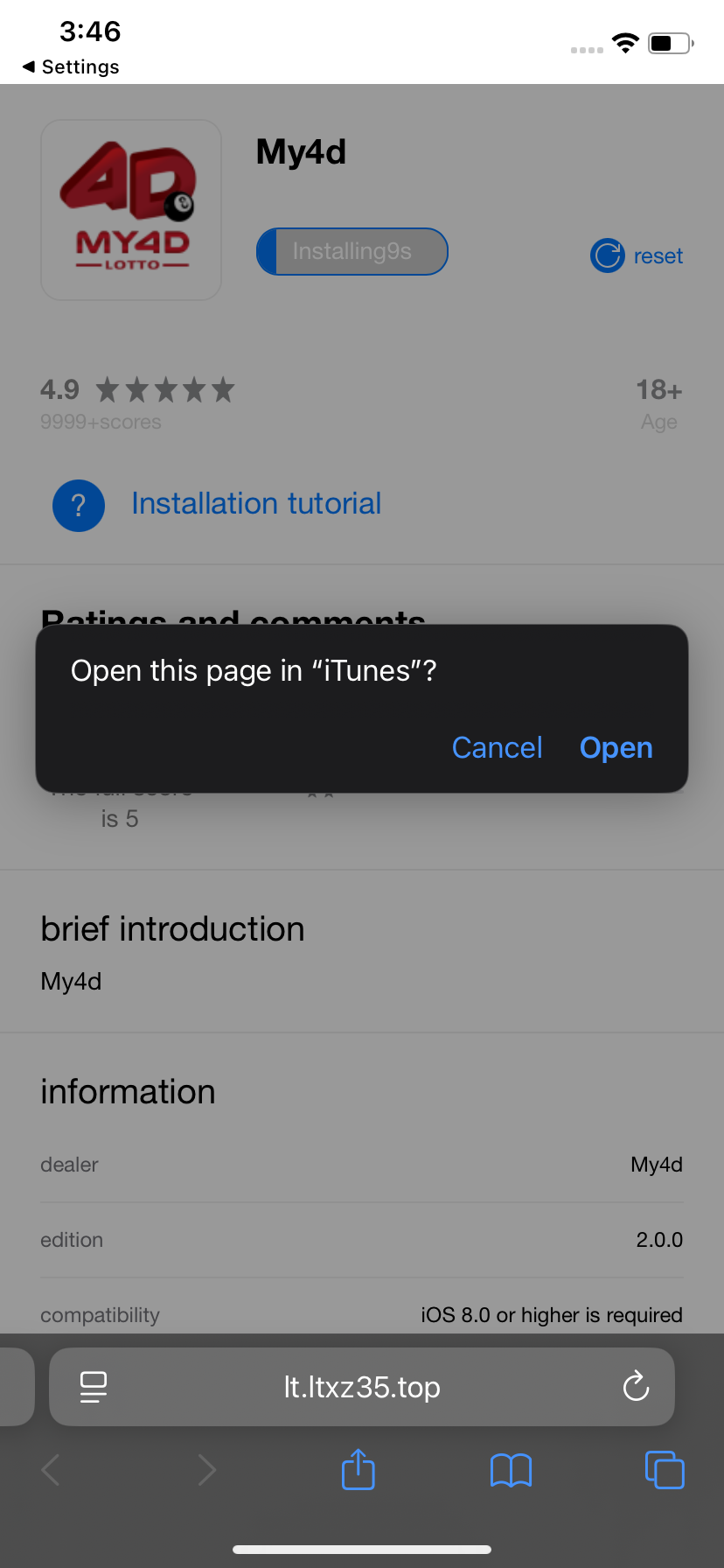
Once profile install successfully, back to your browser, click Open.
-
App Installation, click Install to download My4dLotto app.
- My4dLotto app successfully installed, you may start play game with My4dLotto App now.